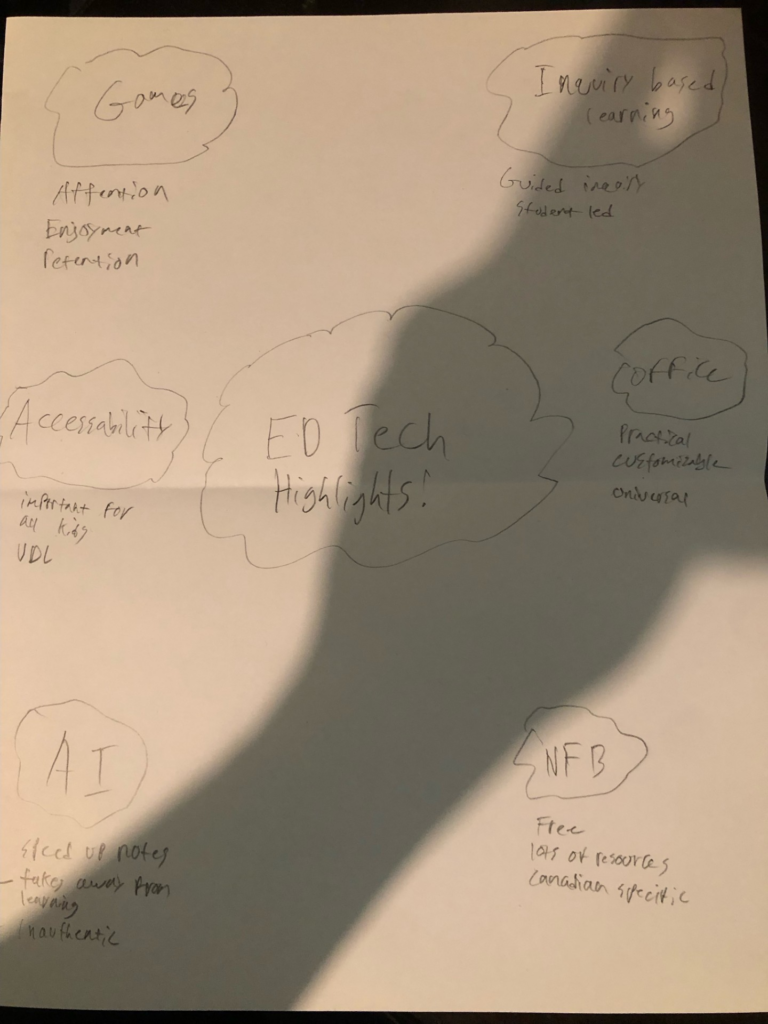
We were asked to sketch note some highlights from the course. These are my highlights as seen below.
As you can see I focused on the positives, except for AI. My highlights were the Games and Inquiry based learning from PSII, which I found as the most important takeaways from this course. The major benefits of Games is the enjoyment of the students, it is an easy way to get the students engaged and interested in the topics. For Inquiry Based Learning I found that this was also the case, for students to get the most out of school they guide themselves and engage with what they want to do.
Today’s blog post is around online citizenship & digital footprints
What Are Online Citizenship & Digital Footprints
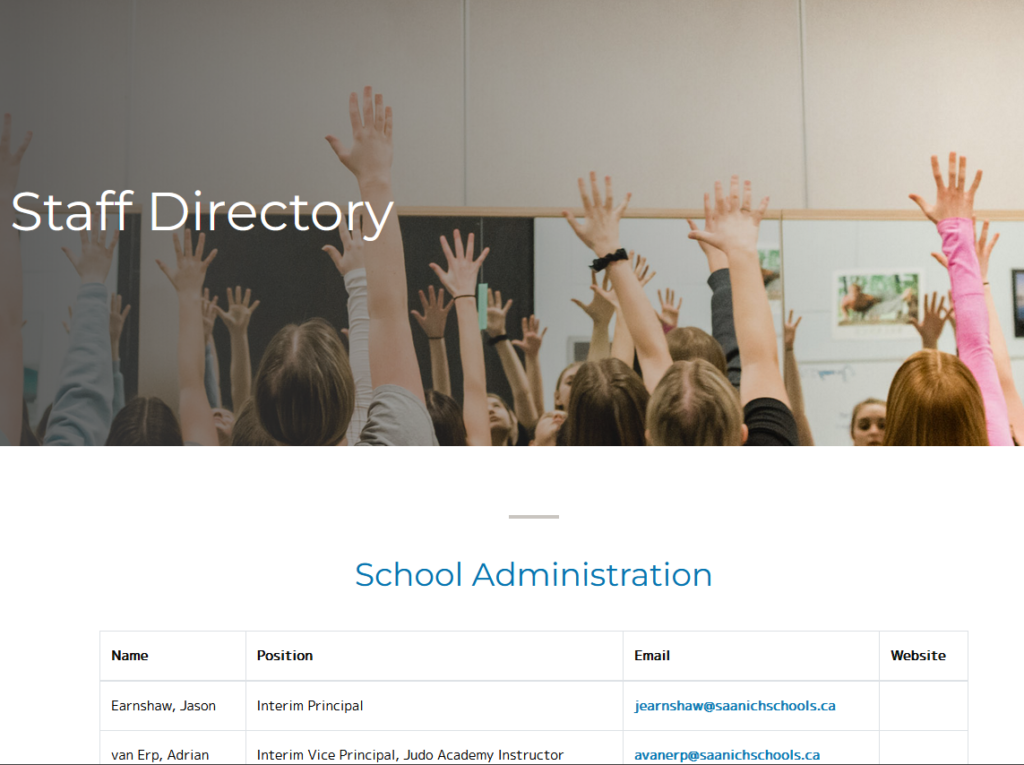
Online Citizenship is the concept of being identifiable as a citizen of the internet, or of the modern age. Some people are actively engaged in this, and create online profiles using social media or other apps, but others are online citizens simply by being famous or noteworthy. This ties in to a digital footprint, which is a record of your actions, pictures, and opinions online that is permanent. Some of this is stored in metadata, but some is stored on live websites that you can see at any time. For example this is a list of sd63 teachers at Parkland secondary school.
A screenshot of the Parkland Secondary school staff directory.
Reflection
At this point, almost all of us are online citizens whether we like it or not, there are too many socially expected things that almost require us to be online. We all have some kind of online presence, even by nature of taking this course, or in our future as teachers in the public system, our names will be online. This is positive, as it keeps us accountable to our words and actions. Modern “cancel culture” is actually a useful thing in my mind, it allows us to hold people accountable, and when they say things that are inappropriate it is not lost in the wind. That being said, I do also think that this is a major issue that will create a culture of extremely isolationist and homogeneous thought, some times there are good reasons to go against the status quo and having the ability to be wrong without any major consequence is a good thing for society generally. Additionally, the ability to search for any individual means that some things that people, even teachers, that they may not want seen by their students or the public means that we have no choice for certain subjects.
This week the topic we are reflecting on is Ed Camps.
What Are Ed Camps?
Ed Camps are participant led discussion forums, where individuals meet to discuss a topic under a general, educator provided, umbrella topic. These seem to be useful for generating ideas, having a blend of structure & inquiry approaches, and for online learning. They would be ideal for Pro D days or other inter-professional conferences.
Reflection
Ed Camps were an interesting idea, but the lack of structure seemed to be a limiting factor for the Ed Camp concept. I can see this being quite useful for professionals who do not have the time or ability to meet in person, however they do not seem good for working with younger students, or students who are not passionate about the subject. This may also work for grade 12’s who have elected to take the course.
Our tech presentation topic is: how do we use the current generation’s interest in online games and spaces to increase attention and participation in the classroom. Here is our video presentation on our findings:
This week marked an exciting step forward in my inquiry, paired with an important reminder about taking care of my body. While my strength training had to take a pause, my climbing progress hit a milestone.
Climbing Progress
I completed two climbing sessions this week, both focused on bouldering. The biggest highlight was successfully sending my first V5 at CARSA (blue tape), which felt like a major breakthrough after several weeks of working at this grade. The send came after working at it for the last two weeks, and getting some coaching from one of my co-workers. I’ve noticed that my footwork and pacing have improved, and the dynamic movement was quite a fun time.
Strength Training
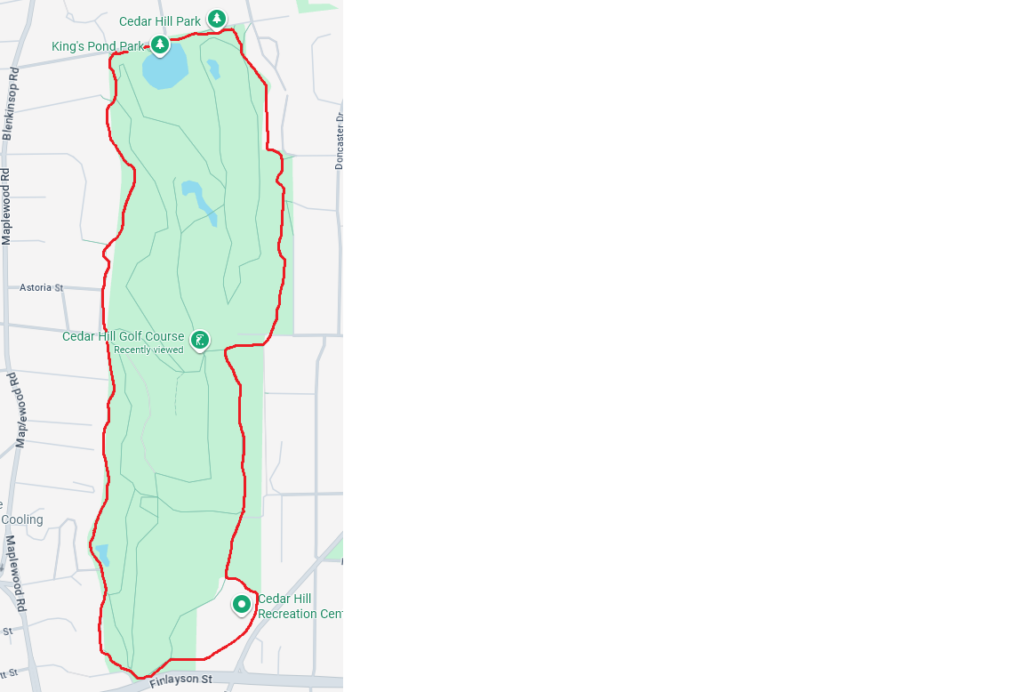
In the process of completing my first V5, unfortunately I tweaked my shoulder, and was not able to do a very good gym session. I went for a 2 hour walk instead, trying to keep up some physical activity, focusing on my lower body, rather than do an exercise that would hurt my shoulder. I chose to do 2 laps of cedar hill golf course, as it is near my house and has an excellent path.
Reflection
This week was two lessons in one: progress is not always straightforward, and recovery is important. Sending a V5 was phenomenal, but I have not been able to repeat it yet, and taking time off lifting reminded me that training includes rest as well.
This week’s reflection blog post is on the subject of using coding and computational thinking, and gaming in the classroom.
Scratch & Coding
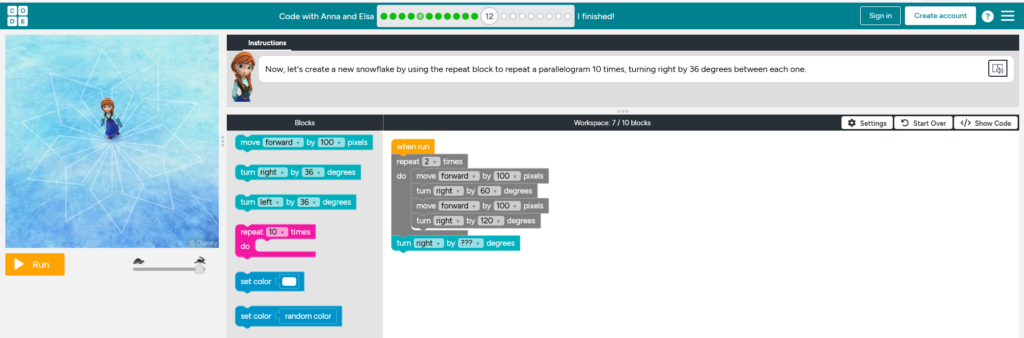
Above is a picture of the coding tool “Scratch” and my progress in a coding exercise. Using coding in the classroom seems to be an effective tool when it comes to presenting logical thinking. I can see the use in social studies as there are a lot of similar uses to computational thinking and historical thinking. Both have a lot of “if this than this” elements, and so there are many overlapping concepts and ideas.
I do think that there are also some major downsides to coding in the classroom. The use of coding is inherently one that can only be done with sufficient technology for the whole class, if you were to not have enough laptops it would be impossible for the whole class to complete the activity. In addition to the access, I’m not sure I think that encouraging students to code during a socials class really is the best use of the time, as students are spending more and more time on screens in other places, social studies is one of those times where it may be more beneficial to develop real social skills rather than online skills, such as coding.
Gaming In The Classroom
On the other hand, using board games or other kinds of serious games in the classroom, I think, can be a real benefit to both the teacher and students. Gaming can be a fantastic method of getting buy in from the students, as nowadays more students than ever play games as an outside of school hobby. Additionally, if serious games are used properly, the knowledge retained from learning through these games can increase dramatically,1 with students having much more engagement with the ideas, and getting to actually play with the concepts. For non serious games, board games can be a fantastic alternative to coding to try and teach different kinds of thinking. For example, this thread of teachers who used board games in the class to teach physics is full of great ideas and ways that several different board games were used in classes.
On the other hand, not everyone should use games, and there are downsides to using games. If learning targets are not clear, students may not retain much of the information. Additionally, there is always the risk that students will get bored, as with any class, and if you have a larger than normal proportion of students who dislike games, than perhaps using a game in the classroom is not for you.
Gundersen, Sindre & Lampropoulos, Georgios. (2025). Using Serious Games and Digital Games to Improve Students’ Computational Thinking and Programming Skills in K-12 Education: A Systematic Literature Review. Technologies. 13. 113. 10.3390/technologies13030113. ↩︎
This week was another incremental step in my inquiry into climbing performance and strength training. This week there was no breakthroughs, however I worked quite hard at a V5 boulder and saw some noticeable changes in my endurance.
Climbing Progress
I completed two sessions of climbing this past week, both were bouldering sessions. They followed the regular pattern of Tuesday-Thursday, however I climbed at a different gym on Tuesday than I normally do, and so the grading was a bit off. I was able to climb at my baseline, but I noticed that I was able to do a 2 hour session quite easily this time, rather than the usual 1.5 hours. I made some more progress on V5 boulders, but have yet to complete one.
After noticing my poor technique last week, I decided to work on a specific boulder that worked on my footwork, this is letting me practice my weaker areas specifically, and should hopefully improve my overall performance.
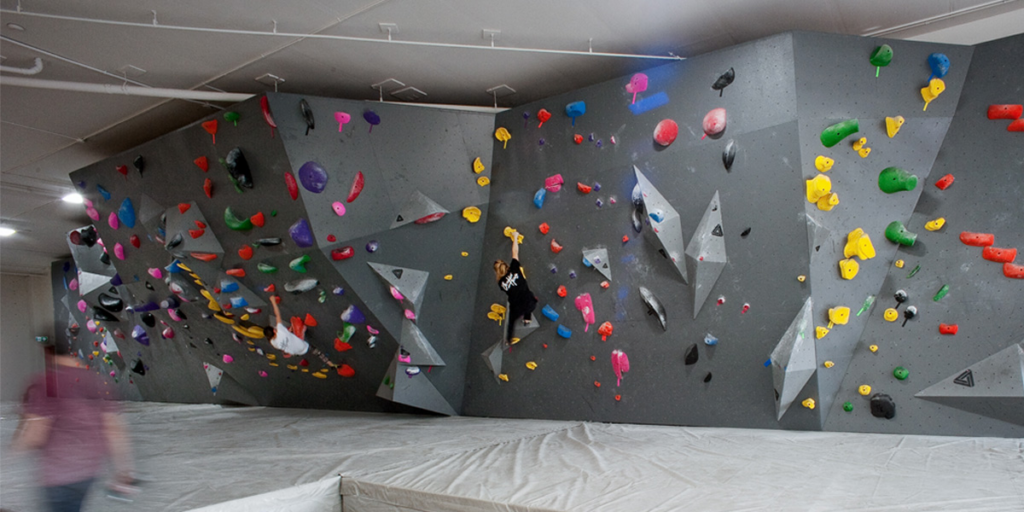
The gym I went to this Tuesday is called Boulderhouse. It is a bouldering only gym where several world class athletes climb regularly.
PC: Boulderhouse.ca
Strength Training
This week I was only able to complete 1 session of strength training rather than the 2 I had set out as my goal.
My program was:
Squat: 10×3 – 165lbs
Bench Press: 8×4 – 120lbs
Deadlift: 5×6 – 265lbs
I saw a steady increase over my last week’s training program even though I only went once this week, which was good to see, but I need to hold myself more accountable to missing the programs. My finger issues have slightly been fixed, but I believe that this is more likely due to the time off during reading break.
All my lifts were fine, and I think that my progress is okay, but could still be more on track. Next week I will focus on getting myself out there twice instead of once.
Reflection
This week the thing to work on is consistency, I need to hold myself accountable to going as many times as I said I would. Climbing is not an issue on this front, but for the strength training it really will make a difference.
Today’s blog post will be focused around accessibility online. Accessibility in this case includes video/photo descriptions in metadata, headings, and reflecting on accessibility practices.
Photo!
Featuring: Goober The Cat (centre) Photo Credits: myself
Reflection
For this weeks reflection I will be answering the following prompts:
Are there any digital accessibility practices that you often see being missed? Are there any that you know YOU often miss?
Are there any digital accessibility practises that surprised you? Why?
Are there any digital accessibility practices that you often see being missed? Are there any that you know YOU often miss?
The largest practice that I see being missed is that often websites lack colorblind sensitive colour palates. The poor contrast is something that is not usually paid attention to, especially in a world right now where a few seconds of looking at a website can make someone click away or stay. People often create websites that are designed to be as eye grabbing for the regular user as possible without caring about the exceptions. My digital footprint is about as limited as it can be, and so the digital accessibility practices that I have had a chance to actually use are limited to creating powerpoints or silideshows that come with a written document explaining everything on the slides. I personally know that I have missed changing documents to have proper formatting, as I did not know that Ereaders couldn’t distinguish between bolded text and regular text.
Are there any digital accessibility practises that surprised you? Why?
As I mentioned in the last answer, I was unaware that Ereaders could not distinguish between regular and bolded text, or different fonts. This was something that I assumed we had the technology for. I did not consider that the metadata of what actually is a heading and what is just bolded was as big of a deal as it is. Additionally I had not really considered the struggles that people who do not have the use of both hands would face when trying to utilize the internet or any digital tools. It just took me by surprise as it was something that I had never truly thought about.